FreePDF: The Arrowheads function is only possible in FreePDF for newly inserted objects.
FreePDF can add different types of arrowheads to the start and end points of lines and polygons.
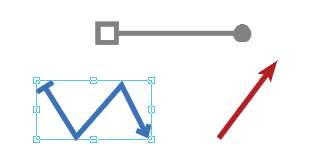
| 1. | Use the Line tool  or the Polygon tool or the Polygon tool  on the ribbon tab Insert | group Drawings to draw a new object or select an existing drawing object. on the ribbon tab Insert | group Drawings to draw a new object or select an existing drawing object. |
| 2. | Choose the ribbon command Format | group Format | Line endings  . . |
| 3. | A menu appears. For Start point or End point, select the desired arrow type from the respective dropdown list by clicking on it. |
| Note: The dropdown lists for start point and end point display the currently applied arrow type for the selected objects in a darker gray. |
Notes
▪Lines and their arrowheads always share the same color.
▪The size of arrowheads depends proportionally on the line thickness.