To delete pages, proceed as follows:
| 1. | Choose the ribbon command Pages | group Edit | Delete  . . |
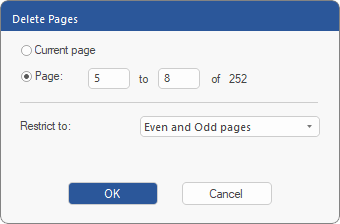 |
| 2. | Select the pages that you want to delete. |
| 3. | The option Even and Odd Pages deletes all pages in the range that is entered. You can also restrict the deletion process to Even pages only or Odd pages only. |
| 4. | The Delete Pages operation cannot be undone. Make sure that there is a backup file before continuing. |
To then renumber the pages of your document, see Page numbering.