You can display a summary of all settings, dates, authors and other information about the current PDF file.
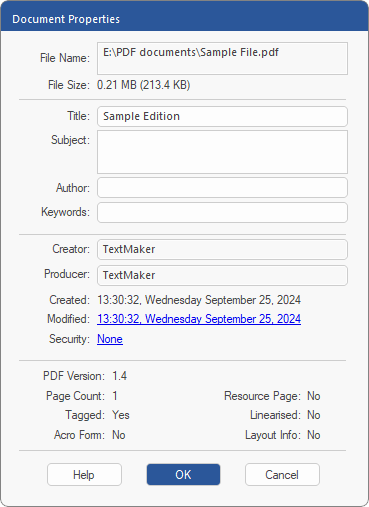
To do so, choose the command File | Properties  , and the following dialog box will appear:
This data is saved in a machine-readable format in the PDF file.
▪Click on the hyperlink next to Modified to open the change log of the PDF.
▪Click on the hyperlink next to Security to open the dialog box Document Security.
▪Resource Page indicates whether the PDF has an embedded resource page.
▪The Creator and Producer fields contain read-only values that cannot be changed by the user. If a document was edited with FreePDF, "FreePDF" is entered for the Creator.
▪You can enter your own information in the white fields (Title, Author, etc.).
Notes
▪If the current document is part of a portfolio, the dialog box will display the properties of the superordinate portfolio PDF in which the document is located.
▪To see the properties of individual documents within the portfolio, however, select an item in the Portfolio sidebar and click on Properties  at the top of the bar.
| If the selected item within a portfolio is not a PDF, Properties shows only the basic properties of this file. |